The LastPass Exodus: Why Security Professionals Are Abandoning US Password Managers
The 2022 LastPass breach exposed 25 million encrypted vaults -and revealed a deeper problem. Here's why European users are switching to EU-based password managers, and how to migrate without losing anything.
Zero-knowledge encryption, email aliases, generous free tier
Try Proton Pass →Fully auditable code, self-host option, AGPLv3 license
Try Padloc →In December 2022, LastPass sent an email that security professionals had been dreading for years.
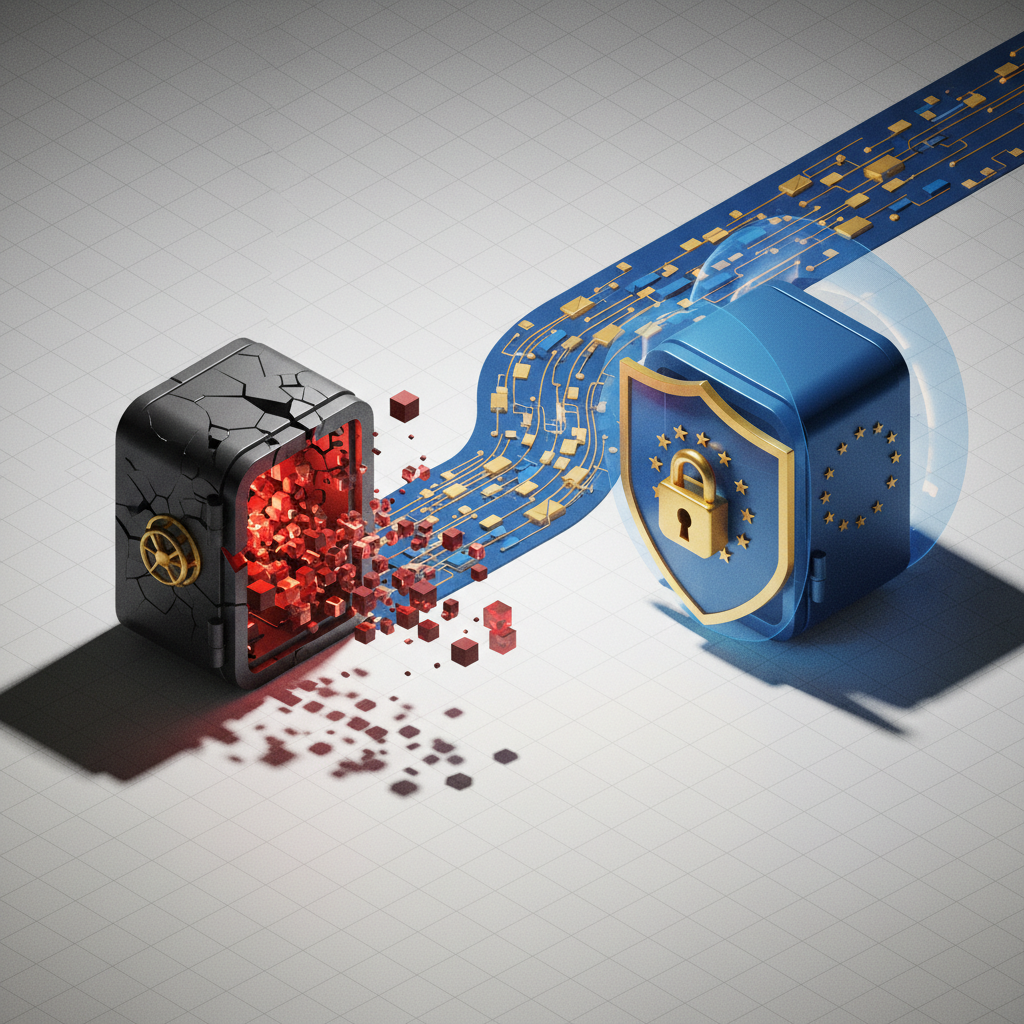
Attackers had breached their systems. Not just once -twice. They’d stolen source code, proprietary technical information, and most critically: encrypted password vaults for their entire user base.
Twenty-five million people woke up to discover that the most sensitive data they owned -every password, every credential, every secure note -was now in the hands of criminals.
The breach that keeps breaching: Two years later, security researchers are still tracking cryptocurrency thefts linked to LastPass vault data. Weak master passwords are being brute-forced. Seed phrases are being extracted. The damage continues.
This isn’t a story about one company’s security failure. It’s a story about the fundamental risks of trusting US-based services with your most critical data -and why a growing number of security-conscious Europeans are making the switch.
What Actually Happened
The LastPass breach unfolded in two stages, each worse than the last.
📅 Timeline of the LastPass Breach
| Date | Event | Severity |
|---|---|---|
| Aug 2022 | Developer laptop compromised, source code stolen | 🟡 Medium |
| Aug 2022 | LastPass: “No customer data accessed” | - |
| Nov 2022 | DevOps engineer targeted with keylogger | 🔴 Critical |
| Nov 2022 | Cloud storage accessed, vaults stolen | 🔴 Critical |
| Dec 2022 | LastPass discloses: 25M vaults compromised | 🔴 Critical |
| 2023-2024 | Ongoing: Crypto thefts linked to breach | 🔴 Active |
| 2025-2026 | Still ongoing: Weak passwords being cracked | 🔴 Active |
What Was Stolen
| Data Type | Encrypted? | Risk Level |
|---|---|---|
| 🔐 Password vaults | ✅ Yes | 🔴 Critical (can be brute-forced) |
| 📧 Email addresses | ❌ No | 🟠 High (phishing targets) |
| 🌐 Website URLs | ❌ No | 🟠 High (reveals what you use) |
| 💳 Billing info | ❌ No | 🟡 Medium |
| 📱 MFA seeds | ✅ Yes | 🔴 Critical |
| 📝 Secure notes | ✅ Yes | 🔴 Critical |
Your vault wasn’t just “encrypted in the cloud.” The entire encrypted blob was stolen. Attackers can crack it offline -forever -using increasingly powerful hardware.
The Ongoing Damage
Here’s what makes this breach uniquely dangerous: the stolen data doesn’t expire.
Still happening in 2026:
- 💰 $35M+ in crypto stolen (documented by ZachXBT)
- 🔓 Weak master passwords being brute-forced daily
- 📈 Attack hardware getting cheaper and faster
- ⏳ Your 2022 vault is still being attacked
Traditional data breaches expose information that can be changed -credit cards can be reissued, passwords can be reset. But a password vault from 2022 contains:
| Data Type | Can You Change It? | Risk |
|---|---|---|
| Crypto seed phrases | ❌ No | 💀 Total loss if cracked |
| Security questions | ⚠️ Rarely done | Long-term risk |
| Bank credentials | ✅ Yes, but did you? | Ongoing risk |
| Historical passwords | ⚠️ Often reused | Credential stuffing |
Why This Keeps Happening to US Companies
LastPass isn’t uniquely incompetent. They’re just the most visible example of a systemic problem.
The Growth-Before-Security Model
US tech companies operate under VC pressure that prioritizes growth over everything. Security is a cost center. Features ship fast. Infrastructure debt accumulates.
LastPass was acquired by LogMeIn in 2015, then spun off in 2021. Each transition brought cost-cutting. Their security team shrank while their user base grew.
The Legal Environment
US companies face a different legal environment than their European counterparts:
| Aspect | US Companies | EU Companies |
|---|---|---|
| Data protection fines | Relatively rare, often negotiable | GDPR: up to 4% of global revenue |
| Breach notification | Varies by state, often delayed | 72 hours, mandatory |
| Security investment | Shareholder-optional | Regulatory-required |
| User rights | Limited, platform-dependent | GDPR-guaranteed |
The Target Problem
US password managers are high-value targets. Why?
- Market concentration: LastPass, 1Password, and Dashlane hold ~70% of the US market
- Centralized architecture: One breach exposes millions
- US jurisdiction: Access to US user data is valuable to multiple threat actors
- English-speaking: Easier for international attackers to navigate
The uncomfortable truth: If you’re using a US password manager, you’re betting that a company optimizing for growth can indefinitely out-defend nation-state attackers, criminal syndicates, and insider threats. That’s a losing bet.
The 1Password Question
“But I use 1Password, not LastPass. They’re more secure, right?”
1Password has a better security track record. Their Secret Key system adds protection beyond the master password. They haven’t had a catastrophic breach.
But consider:
Still US-Based
1Password is headquartered in Canada but operates significant US infrastructure. More importantly, they’re subject to US legal requests through their American operations:
- CLOUD Act applies to data they control
- US government can issue National Security Letters
- FISA 702 surveillance affects non-US users
The Single Point of Failure
Every centralized password manager shares the same fundamental vulnerability: they’re a single, high-value target.
If you’re a nation-state actor or well-funded criminal enterprise, which would you rather attack?
- A: Millions of individual encrypted files scattered across the internet
- B: One company with 15 million users, all passwords in one place
The math isn’t complicated.
1Password’s better security practices reduce your risk compared to LastPass. They don’t eliminate the fundamental architecture and jurisdiction issues that make US password managers risky for security-conscious users.
The European Alternatives
European password managers operate in a different environment. Stricter privacy laws, less VC pressure, and cultural differences around data protection create genuinely different products.
Master Comparison Table
| Feature |  🇨🇭Proton Pass 🇨🇭Proton Pass |  🇱🇹NordPass 🇱🇹NordPass |  🇩🇪Padloc 🇩🇪Padloc |  🇱🇺Passbolt 🇱🇺Passbolt |
|---|---|---|---|---|
| Country | Switzerland | Lithuania | Germany | Luxembourg |
| Founded | 2023 | 2019 | 2016 | 2016 |
| Free Tier | ✅ Unlimited | ⚠️ 1 device | ✅ 50 items | ✅ Self-host |
| Price/Year | €24 | €22 | €35 | €49 |
| Encryption | AES-256 | XChaCha20 | AES-256 | OpenPGP |
| Open Source | ✅ Yes | ❌ No | ✅ Yes | ✅ Yes |
| Self-Host | ❌ No | ❌ No | ✅ Yes | ✅ Yes |
| 2FA Support | ✅ TOTP | ✅ TOTP | ✅ TOTP | ✅ TOTP/U2F |
| Email Aliases | ✅ Yes | ❌ No | ❌ No | ❌ No |
| Breach Monitor | ✅ Yes | ✅ Yes | ❌ No | ❌ No |
| Team Features | ⚠️ Basic | ✅ Yes | ✅ Yes | ✅ Advanced |
| Mobile Apps | ✅ iOS/Android | ✅ iOS/Android | ✅ iOS/Android | ⚠️ Limited |
| Browser Ext. | ✅ All major | ✅ All major | ✅ All major | ✅ Firefox/Chrome |
| Audit Status | ✅ Audited | ✅ Audited | ✅ Open code | ✅ Audited |
| Best For | Privacy-first | Best UX | Self-hosters | Dev teams |
🇨🇭Proton Pass - The Privacy Champion
Why it wins: Proton built their reputation with ProtonMail at CERN. Proton Pass extends that philosophy -they literally cannot read your passwords, even if compelled by law.
Killer Feature: Hide-my-email aliases. Every site gets a unique forwarding address. When (not if) a site gets breached, you know exactly who leaked.
| Pros | Cons |
|---|---|
| ✅ Swiss jurisdiction (gold standard) | ⚠️ Newer than competitors |
| ✅ Generous free tier | ⚠️ Advanced features in development |
| ✅ Email alias system | ⚠️ Best with Proton ecosystem |
| ✅ Open source, audited |
→ Try Proton Pass (free tier available)
🇱🇹NordPass - The UX King
Why it wins: From the NordVPN team. Whatever you think of their marketing, they build consumer software people actually enjoy using.
Killer Feature: Data breach scanner that actually works. Checks your passwords against known breach databases and nags you (helpfully) to change compromised ones.
| Pros | Cons |
|---|---|
| ✅ Top-tier UX | ⚠️ Not open source |
| ✅ Modern XChaCha20 encryption | ⚠️ Free tier very limited |
| ✅ Breach monitoring built-in | ⚠️ Marketing-heavy brand |
| ✅ Frequent sales (often 50% off) |
→ Try NordPass (often 50% off)
🇩🇪Padloc - The Open Source Purist
Why it wins: German engineering. Every line of code is auditable. Self-host if you want complete control.
Killer Feature: True self-hosting. Run it on your own server, audit every line, trust no one but yourself.
| Pros | Cons |
|---|---|
| ✅ Fully open source | ⚠️ Smaller team |
| ✅ Self-hosting option | ⚠️ UX functional, not beautiful |
| ✅ Clean, auditable codebase | ⚠️ Fewer integrations |
| ✅ GDPR-strict German jurisdiction |
→ Try Padloc (free tier available)
🇱🇺Passbolt - The Team Fortress
Why it wins: This isn’t a consumer product. It’s how cryptographers think credential sharing should work - PGP encryption with per-user keypairs.
Killer Feature: Role-based access with cryptographic enforcement. Share API keys with your team without ever exposing them in plaintext.
| Pros | Cons |
|---|---|
| ✅ Enterprise-grade security | ⚠️ Steep learning curve |
| ✅ PGP-based (gold standard) | ⚠️ Not for casual users |
| ✅ Audit logs & RBAC | ⚠️ Limited mobile experience |
| ✅ Self-host for free |
Who’s this for? If you’re sharing AWS keys, database credentials, or production secrets with a team - Passbolt is the right answer. For personal use, look elsewhere.
→ Try Passbolt (free self-hosted)
Which Should You Choose?
| Your Situation | Best Choice | Why |
|---|---|---|
| 🏠 Personal use, privacy-focused | 🇨🇭Proton Pass | Swiss jurisdiction, great free tier |
| 💼 Work laptop, want it to “just work” | 🇱🇹NordPass | Best UX, breach monitoring |
| 🔧 Developer, want to self-host | 🇩🇪Padloc | Full control, audit everything |
| 👥 Team sharing credentials | 🇱🇺Passbolt | Built for team security |
| 🆓 No budget, need free | 🇨🇭Proton Pass | Only real unlimited free tier |
| 🔒 Already using Proton ecosystem | 🇨🇭Proton Pass | Fits right in |
For most readers: Start with Proton Pass. The free tier is genuinely useful, Swiss jurisdiction is hard to beat, and email aliases are a game-changer. Upgrade from there if needed.
The Migration Playbook
Switching password managers sounds scary. It’s actually straightforward.
Phase 1: Preparation (30 minutes)
Before touching anything:
- Export from LastPass/1Password as CSV
- LastPass: Advanced Options → Export → CSV
- 1Password: File → Export → CSV
- Save the export securely (encrypted drive or secure location)
- Document your most critical accounts (banking, email, work)
- Check your master password strength in the new service
Critical: Your CSV export contains every password in plaintext. Handle it carefully. Delete it immediately after successful import. Never email it or store it in cloud storage.
Phase 2: Import (15 minutes)
Every major EU password manager supports importing from LastPass and 1Password:
| Provider | Import Method |
|---|---|
| 🇨🇭Proton Pass | Settings → Import → Select LastPass |
| 🇱🇹NordPass | Settings → Import items → CSV |
| 🇩🇪Padloc | Settings → Import → CSV |
| 🇱🇺Passbolt | Admin → Import → CSV |
Phase 3: Verification (1-2 hours)
Don’t skip this.
- Test critical logins manually:
- Primary email
- Banking
- Work accounts
- Two-factor authentication apps
- Verify 2FA seeds transferred correctly
- Check secure notes imported properly
- Update browser extension to new manager
Phase 4: Cleanup (30 minutes)
- Delete export CSV (securely -empty trash too)
- Remove old password manager browser extension
- Consider deleting old account after 30-day verification period
- Update master password if it was weak or reused
The Real Cost Calculation
“But my current password manager is already paid for.”
Let’s do the math.
Direct Costs
| Item |  🇺🇸LastPass 🇺🇸LastPass | 🇨🇭Proton Pass |
|---|---|---|
| Annual cost | ~€36/year | €24/year (or free) |
| Migration time | - | 2-4 hours |
| Learning curve | Existing | 1-2 weeks |
Risk Costs
| Risk | Probability | Potential Impact |
|---|---|---|
| Future breach of US provider | Medium-High | Credential exposure, identity theft |
| Cryptocurrency theft | Low (if stored) | Total loss of holdings |
| Professional liability | Varies | Career damage, legal exposure |
| US legal access to data | Low but non-zero | Privacy violation, data exposure |
The question isn’t whether you can afford to switch. It’s whether you can afford another breach.
The Hidden Cost of Staying
Every day you stay with a compromised provider:
- Your old vault is being attacked
- Weak passwords are being cracked
- Attackers are patient
If your LastPass master password was weak (under 16 characters, based on dictionary words, reused elsewhere), assume your vault will eventually be cracked.
Who Should Stay, Who Should Go
I’m not saying everyone must switch immediately. Here’s an honest assessment:
🚨 Switch NOW If…
| Condition | Risk Level | Action |
|---|---|---|
| Stored crypto seeds in LastPass | 💀 Critical | Move crypto TODAY, then switch |
| Master password < 16 characters | 🔴 High | Assume compromised, switch ASAP |
| Master password was dictionary-based | 🔴 High | Assume compromised, switch ASAP |
| Handle client data (lawyer, doctor) | 🔴 High | Professional liability risk |
| Work with EU customer data | 🟠 Medium-High | GDPR compliance concern |
✅ Can Wait If…
| Condition | Risk Level | Notes |
|---|---|---|
| Use 1Password with Secret Key | 🟢 Lower | Better architecture, still US |
| Master password 20+ random chars | 🟢 Lower | Harder to brute-force |
| No crypto, no sensitive notes | 🟢 Lower | Lower-value target |
| Already changed all passwords post-breach | 🟢 Lower | Damage limited |
Quick Self-Assessment
Answer these questions:
| Question | Yes = Higher Risk |
|---|---|
| Were you a LastPass user before Dec 2022? | +🔴 |
| Was your master password under 16 chars? | +🔴 |
| Did it contain dictionary words? | +🔴 |
| Did you store crypto seed phrases? | +💀 |
| Do you handle client confidential data? | +🔴 |
| Have you changed all passwords since? | -🟢 |
Score yourself:
- 💀 or 2+ 🔴 = Switch immediately
- 1 🔴 = Switch this month
- All 🟢 = Switch at your convenience
The bottom line: If you were a LastPass user with a weak master password and stored anything valuable, treat your vault as compromised. Change critical passwords, then switch providers. The question isn’t “if” your vault will be cracked -it’s “when.”
The Future of Password Management
Three trends are reshaping this space:
1. Passkeys Are Coming
Apple, Google, and Microsoft are pushing passkeys -cryptographic credentials that replace passwords entirely. No master password to forget. No vault to steal.
The catch: Passkeys are stored on your devices or in your cloud account. That means Apple/Google still has a copy. The jurisdiction problem doesn’t go away -it just shifts.
EU providers like Proton are implementing passkey support with the same privacy principles. Watch this space.
2. Decentralization
Centralized password managers are inherently risky. The next generation may be truly decentralized -your vault encrypted and distributed across multiple locations, with no single point of failure.
3. Regulatory Pressure
The EU’s Digital Markets Act and evolving cybersecurity regulations are pushing for higher security standards. Companies operating in Europe face increasing pressure to protect user data -or face consequences.
The philosophical shift: Password managers grew up in an era when “the cloud” was assumed to be trustworthy. The last decade has proven otherwise. The next generation will assume breach, not security, as the default.
Taking Action
Password managers should protect you, not expose you.
The LastPass breach wasn’t a fluke. It was the predictable outcome of a system optimized for growth over security, operating under a legal framework that doesn’t prioritize user privacy.
European alternatives exist. They’re good enough. In many cases, they’re better. The switching cost is a few hours of your time.
The cost of not switching is everything in your vault -eventually.
Make the switch. Do it this weekend.
Next steps:
- Best EU Password Managers Compared - Detailed comparison of all options
- Why EU Software Matters - The bigger picture
- GDPR Compliance Toolkit - Full privacy stack
- All Password Manager Alternatives - Browse EU options
This analysis represents the author’s research and perspective. Always evaluate your specific threat model and requirements when choosing security tools.