The Google Docs Exodus: EU Office Suites That Respect Your Data
Your team's documents, spreadsheets, and presentations live on American servers. After CLOUD Act concerns and rising data sovereignty demands, European organizations are switching to EU office suites — and finding they work just as well.
Full MS Office compatibility, real-time collaboration, self-hosting
Try ONLYOFFICE →End-to-end encrypted documents, zero-knowledge architecture
Try CryptPad →LibreOffice in the browser, Nextcloud integration, enterprise-ready
Try Collabora →A Hamburg law firm had an uncomfortable realization during a client audit:
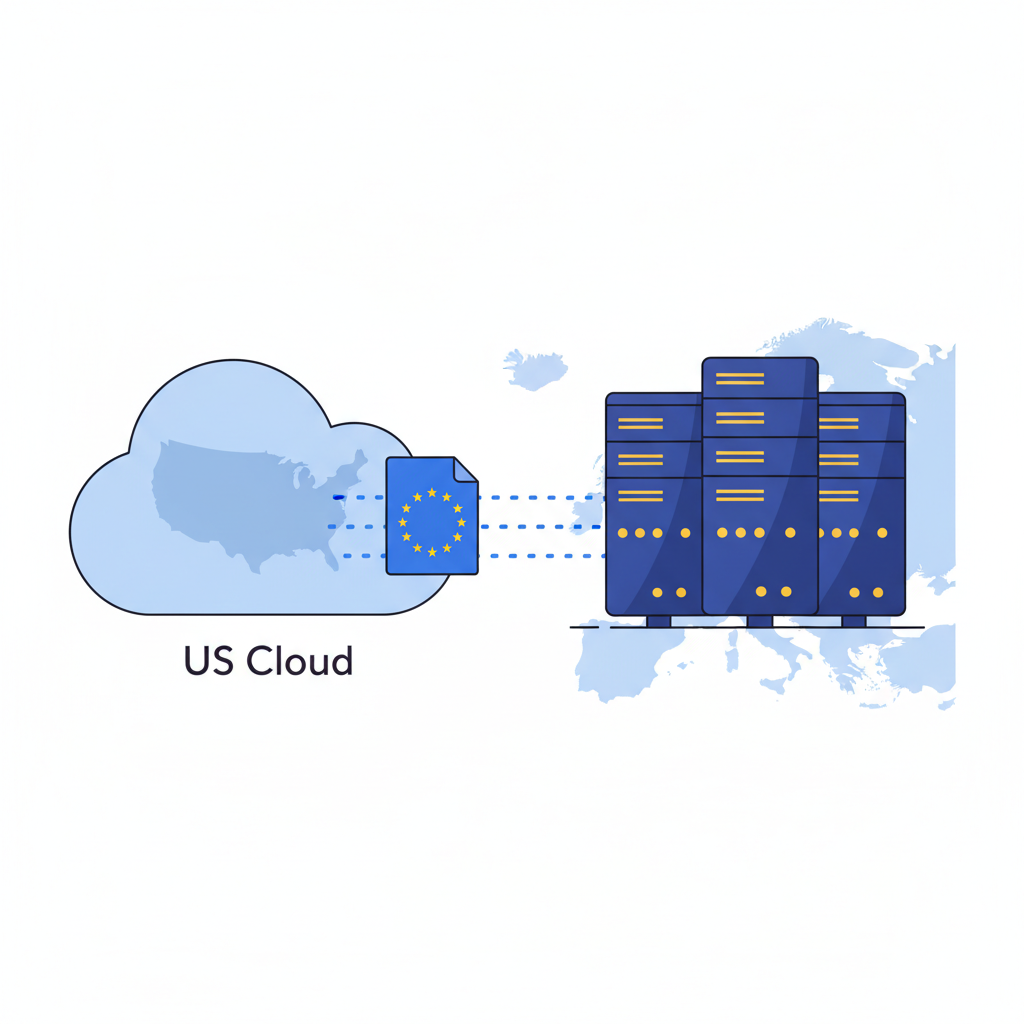
Every contract draft, every case strategy document, every confidential client communication their team had collaboratively edited over the past four years was processed through Google’s servers. Servers that American authorities could access under the CLOUD Act — without the firm’s knowledge, without their consent, and without notifying the clients whose data was at stake.
The scale of the problem: Over 3 billion people use Google Workspace or Microsoft 365. Every document they collaboratively edit is processed on US-controlled infrastructure. For European businesses handling contracts, financials, or personal data, that’s not a convenience — it’s a liability.
They’re not alone. Across Europe, organizations are asking a question that’s becoming impossible to ignore: Should our most sensitive documents really be edited on American platforms?
For a growing number, the answer is no. And unlike five years ago, the alternatives are genuinely good.
The Problem with Google Docs and Microsoft 365
Here’s what happens when you open a Google Doc:
- Your document uploads to Google’s servers
- Every keystroke is processed in real time on their infrastructure
- Google has access to document content for “service operations”
- The document is subject to US law via the CLOUD Act
- Content may be analyzed for AI training and feature improvement
- Metadata (who edited what, when, with whom) is permanently logged
Now multiply that by every document your company creates. Every board meeting agenda. Every employment contract. Every financial projection. Every client proposal with pricing.
The average knowledge worker creates or edits 8-10 documents per day. For a 50-person company, that’s 2,000+ documents per month flowing through US-controlled servers — many containing data you’d never share publicly.
The CLOUD Act Problem
The CLOUD Act (Clarifying Lawful Overseas Use of Data Act) is the core issue.
Under this 2018 law, US authorities can compel American companies to hand over data stored anywhere in the world. It doesn’t matter if your Google Docs data is processed in a Frankfurt data center. It doesn’t matter if you’ve signed every Data Processing Agreement Google offers.
If US law enforcement wants your documents, Google must comply.
| What They Can Access | How |
|---|---|
| All document content | Warrant or subpoena |
| Edit history (every keystroke) | Standard legal request |
| Sharing and access logs | Lower legal threshold |
| Comments and suggestions | Same as document content |
| Deleted documents (within retention) | Same as active documents |
The Vendor Lock-In Trap
Microsoft 365 is particularly insidious here. Your documents in Word connect to your emails in Outlook, your chats in Teams, your files in OneDrive, your tasks in Planner. Extracting your data means untangling an entire ecosystem.
Google does the same. Docs, Sheets, Slides, Drive, Gmail, Calendar — all interconnected, all designed to make leaving painful.
And there’s a newer problem: AI integration.
- Google Gemini reads your documents to power suggestions
- Microsoft Copilot processes your files for AI features
- Both companies use aggregate data to improve their models
- Neither gives you meaningful control over this processing
The AI dimension: When your office suite doubles as an AI training ground, every document you create potentially contributes to models you don’t control. EU organizations handling sensitive data should consider whether that trade-off is acceptable.
German data protection authorities have repeatedly flagged Microsoft 365’s GDPR compliance. Schools have been ordered to stop using it. Government agencies across Europe are migrating away.
If public institutions are fleeing, shouldn’t private companies reconsider?
The EU Alternatives
The European office suite market has matured. Five years ago, switching meant accepting significant compromises. Today, the alternatives are competitive — and in some areas, better.
 ONLYOFFICE
Best for: Teams needing MS Office compatibility, real-time collaboration, self-hosting option
ONLYOFFICE is the European office suite that feels like coming home from Microsoft. Built in Latvia, it handles .docx, .xlsx, and .pptx files with the best compatibility of any alternative — including the ones Microsoft makes.
| Strength | Details |
|---|---|
| MS Office compatibility | Near-perfect rendering of complex Word/Excel/PowerPoint files |
| Real-time collaboration | Google Docs-style co-editing with comments and suggestions |
| Self-hosting | Run on your own servers for complete data control |
| Integration | Connects with Nextcloud, ownCloud, Seafile, and more |
Pricing: Desktop editors are free. Cloud workspace from €6/user/month. Self-hosted DocSpace is free for up to 20 users.
The reality check: ONLYOFFICE nails the essentials — document editing, spreadsheets, presentations, and real-time co-editing. The interface is clean and familiar to anyone coming from Microsoft Office. Self-hosting means your documents never leave your infrastructure.
Why it matters for MS Office shops: If your clients send .docx files and expect .docx back, ONLYOFFICE is the only EU alternative where you won’t spend time fixing formatting issues. The compatibility is genuinely impressive.
| Quick Facts | |
|---|---|
| Company | Ascensio System SIA |
| Country | Latvia (EU) |
| Founded | 2009 |
| Open Source | Yes (AGPL v3) |
| Data Centers | Your choice (self-hosted) or EU cloud |
| GDPR | Compliant by design |
 🇫🇷CryptPad
Best for: Privacy-first teams, journalists, lawyers, activists, sensitive industries
CryptPad takes a radical approach: end-to-end encryption for everything. Documents, spreadsheets, presentations, kanban boards, forms — all encrypted so that not even the server operators can read your content.
| Strength | Details |
|---|---|
| Encryption | End-to-end, zero-knowledge architecture |
| Privacy | Server operators cannot access your documents |
| Versatility | Docs, sheets, slides, kanban, polls, forms, whiteboards |
| Funding | EU research grants (NGI, Horizon Europe) |
Pricing: Free tier (1GB), premium from €5/month (individual) or €15/month (team)
The reality check: CryptPad is the office suite for people who take privacy seriously. The trade-off? Formatting options are more limited than ONLYOFFICE or Google Docs, and MS Office import/export exists but isn’t perfect. If you need pixel-perfect .docx compatibility, look elsewhere. If you need documents that nobody — not even the hosting provider — can read, CryptPad is unmatched.
| Quick Facts | |
|---|---|
| Company | XWiki SAS |
| Country | France (EU) |
| Founded | 2016 |
| Open Source | Yes (AGPL v3) |
| Data Centers | France (Hetzner) |
| GDPR | Compliant + encrypted |
 🇬🇧Collabora Online
Best for: LibreOffice users, Nextcloud deployments, enterprises wanting open-source office
Collabora Online is LibreOffice in the browser. The world’s most popular open-source office suite, accessible from anywhere, with collaborative editing. If your organization already uses LibreOffice on the desktop, Collabora is the natural cloud extension.
| Strength | Details |
|---|---|
| LibreOffice engine | Same rendering as the desktop suite |
| Format support | Handles virtually every document format |
| Integration | Native integration with Nextcloud and ownCloud |
| Enterprise support | Commercial support from Collabora Ltd |
Pricing: Free to self-host (CODE edition). Collabora Online subscription from €8/user/year for business.
The reality check: Collabora is the choice when you want maximum format compatibility and the full power of LibreOffice online. The interface is functional rather than beautiful — it looks like LibreOffice, not like Google Docs. That’s a feature for some teams and a drawback for others. The Nextcloud integration is excellent.
| Quick Facts | |
|---|---|
| Company | Collabora Ltd |
| Country | United Kingdom |
| Founded | 2011 |
| Open Source | Yes (MPL 2.0) |
| Data Centers | Your choice (self-hosted) |
| GDPR | Compliant (self-hosted) |
 🇩🇪Nextcloud
Best for: Organizations wanting a complete self-hosted platform, IT teams, government
Nextcloud isn’t just an office suite — it’s a complete collaboration platform with built-in office editing (powered by either Collabora or ONLYOFFICE). Files, calendar, contacts, video calls, project management, and document editing in one self-hosted package.
| Strength | Details |
|---|---|
| All-in-one | Files + office + calendar + chat + video in one platform |
| Control | Self-host on your infrastructure, your rules |
| Office integration | Choose Collabora or ONLYOFFICE as your editor |
| Track record | Used by German government, French ministries, EU institutions |
Pricing: Free (self-hosted). Nextcloud Enterprise from €3.60/user/month. Managed hosting available from partners.
The reality check: Nextcloud is the Swiss Army knife approach. The office editing is provided by Collabora or ONLYOFFICE (you choose), so the editing experience depends on which you integrate. The strength is the complete package — you replace Google Workspace entirely, not just Google Docs. The downside: self-hosting requires technical expertise.
Government-grade: The German Federal Cloud (Bundescloud) runs on Nextcloud. The French Ministry of Education serves millions of users. If it handles government secrets, it can handle your business documents.
| Quick Facts | |
|---|---|
| Company | Nextcloud GmbH |
| Country | Germany (EU) |
| Founded | 2016 |
| Open Source | Yes (AGPL v3) |
| Data Centers | Your choice (self-hosted) |
| GDPR | Compliant by design |
 🇨🇭kDrive
Best for: Eco-conscious businesses, Swiss privacy needs, teams wanting integrated office
Infomaniak kSuite is Switzerland’s answer to Google Workspace. kDrive (storage) combined with a built-in office suite, email, calendar, and video conferencing — all running on 100% renewable energy in Swiss data centers.
| Strength | Details |
|---|---|
| Complete suite | Storage, office, email, calendar, video — all integrated |
| Sustainability | 100% renewable energy, carbon-negative company |
| Swiss privacy | Swiss data protection law (among the strongest globally) |
| Pricing | 15GB free, 2TB for CHF 5.54/month |
Pricing: Free tier available. kSuite Pro from CHF 7.49/user/month for full office suite with email and collaboration.
The reality check: Infomaniak is Switzerland’s largest independent hosting company, employee-owned with strong privacy values. The office suite is functional — not as feature-rich as ONLYOFFICE, but perfectly adequate for standard document needs. The real appeal is the complete package at a competitive price, backed by Swiss privacy law and genuine sustainability.
| Quick Facts | |
|---|---|
| Company | Infomaniak Network SA |
| Country | Switzerland |
| Founded | 1994 |
| Open Source | No (proprietary) |
| Data Centers | Switzerland (renewable energy) |
| GDPR | Swiss DPA (equivalent + adequate) |
Feature Comparison
How do the EU alternatives stack up against each other — and against Google Docs?
| Feature | Google Docs | ONLYOFFICE | 🇫🇷CryptPad | 🇬🇧Collabora Online | 🇨🇭kDrive |
|---|---|---|---|---|---|
| Real-time collaboration | Yes | Yes | Yes | Yes | Yes |
| MS Office compatibility | Good | Excellent | Basic | Very Good | Good |
| Self-hosting option | No | Yes | Yes | Yes | No |
| End-to-end encryption | No | No (at rest) | Yes | No (at rest) | No |
| Offline editing | Limited | Yes (desktop) | No | Yes (desktop) | Limited |
| Mobile apps | Yes | Yes | No | Via Nextcloud | Yes |
| Spreadsheet formulas | Advanced | Advanced | Basic | Advanced | Moderate |
| Presentation builder | Yes | Yes | Yes | Yes | Yes |
| Version history | Yes | Yes | Yes | Yes | Yes |
| Comments & suggestions | Yes | Yes | Yes | Yes | Yes |
GDPR Compliance Comparison
| Provider | HQ | Data Location | CLOUD Act Exposure | Encryption | DPA Available |
|---|---|---|---|---|---|
| Google Docs | US | US/EU (choice) | Yes (US company) | At rest, Google holds keys | Yes |
| Microsoft 365 | US | US/EU (choice) | Yes (US company) | At rest, MS holds keys | Yes |
| ONLYOFFICE | Latvia (EU) | Your choice | No | At rest (self-hosted: full control) | Yes |
| 🇫🇷CryptPad | France (EU) | France | No | End-to-end, zero-knowledge | Yes |
| 🇬🇧Collabora Online | UK | Your choice | No (self-hosted) | At rest (self-hosted: full control) | Yes |
| 🇩🇪Nextcloud | Germany (EU) | Your choice | No | At rest (self-hosted: full control) | Yes |
| 🇨🇭kDrive | Switzerland | Switzerland | No | At rest, Swiss law | Yes |
Pricing Comparison (Team of 20)
| Provider | Monthly | Annual | Notes |
|---|---|---|---|
| Google Workspace Business | €240 | €2,880 | €12/user/month |
| Microsoft 365 Business | €250 | €3,000 | €12.50/user/month |
| ONLYOFFICE DocSpace | Free | Free | Up to 20 users self-hosted |
| ONLYOFFICE Cloud | €120 | €1,440 | €6/user/month |
| 🇫🇷CryptPad Team | €60 | €720 | €3/user/month (estimated) |
| 🇬🇧Collabora Online + Nextcloud | ~€50 | ~€600 | Server costs only (self-hosted) |
| 🇨🇭kDrive kSuite Pro | €150 | €1,800 | CHF 7.49/user/month |
Every EU alternative is cheaper than Google Workspace or Microsoft 365. When you add compliance overhead for US services — DPA reviews, risk assessments, legal monitoring — the cost gap widens further.
The Migration Playbook
Switching office suites sounds daunting. In practice, it’s more manageable than most teams expect.
Phase 1: Audit Your Document Landscape (1 week)
Map what you actually use:
- How many active documents? Most teams discover 80% are untouched in the last year
- What formats? Pure Google Docs, or lots of uploaded .docx/.xlsx files?
- Who collaborates with whom? Internal only, or external stakeholders too?
- What’s actually sensitive? Contracts, HR docs, financials vs. meeting notes
The 80/20 insight: Most companies discover they actively use far fewer documents than they store. Migration is about moving the active 20%, not the entire archive.
Phase 2: Pilot with One Team (2-3 weeks)
Pick a department and run a real pilot:
- Best pilot teams: Marketing (lots of collaborative docs), HR (needs confidentiality), IT (technical enough to troubleshoot)
- Worst pilot teams: Finance (complex spreadsheets need testing), Legal (formatting matters, external compatibility critical)
- Set clear success criteria: Can they do their daily work? What’s missing? What’s better?
Phase 3: Gradual Migration (4-8 weeks)
Exporting from Google Docs:
- Google Takeout exports all documents as .docx/.xlsx/.pptx
- Upload to your new platform
- Verify formatting on critical documents
- Update shared links and bookmarks
Exporting from Microsoft 365:
- OneDrive sync downloads all files
- Office files transfer directly (no conversion needed)
- SharePoint sites need separate migration
- Teams channels may need manual recreation
Google Docs conversion note: Native Google Docs files convert to .docx on export. Simple documents transfer perfectly. Complex documents with drawings, embedded charts, or advanced formatting may need manual touch-up. Test your most complex documents first.
Phase 4: Hybrid Period (1-3 months)
Most organizations run both systems temporarily:
- New documents created in EU suite
- Legacy documents accessed from old system as needed
- External collaboration may temporarily stay on Google/Microsoft
- Gradual migration of archives
My Recommendation
After testing all five tools with real workflows — writing reports, building spreadsheets, creating presentations, collaborating with remote teams — here’s my honest assessment:
Choose ONLYOFFICE if:
- You need excellent MS Office file compatibility
- Real-time collaboration is essential
- You want the option to self-host
- Your team is coming from Microsoft Office and wants a familiar interface
Choose 🇫🇷CryptPad if:
- Document privacy is your top priority
- You work with confidential or sensitive material
- You’re in journalism, legal, healthcare, or activism
- You don’t need complex MS Office file compatibility
Choose 🇬🇧Collabora Online + 🇩🇪Nextcloud if:
- You want a complete Google Workspace replacement
- You’re already using or considering Nextcloud
- You have technical staff to manage self-hosting
- You want the full power of LibreOffice online
Choose 🇨🇭kDrive if:
- You want everything in one package without self-hosting
- Swiss privacy law matters to you
- Sustainability is a business value
- You need a simple, managed solution
FAQ
How long does it take to switch office suites?
For a team of 20-50 people, expect 2-3 months including pilot, migration, and adjustment period. The technology migration is straightforward — the cultural shift (new keyboard shortcuts, slightly different interfaces) takes a few weeks of adjustment.
Will my team resist switching?
Initially, yes. People are creatures of habit. The key insight from companies that switched successfully: resistance fades within 2-3 weeks. The new tools become normal faster than anyone expects. Having a champion in each department helps enormously.
What about external collaboration?
This is the most common concern — and it’s solvable. ONLYOFFICE and Collabora handle incoming .docx files perfectly. For real-time external collaboration, you can share documents via links. Some companies keep a minimal Google/Microsoft license for external-facing work while using EU tools internally.
Is self-hosting worth the effort?
For organizations with sensitive data and IT resources, yes. Self-hosting gives you complete control over your documents — no third party can access them. For smaller teams without IT staff, managed EU cloud options (ONLYOFFICE Cloud, CryptPad, kSuite) provide most of the sovereignty benefits without the operational overhead.
Related reading:
- EU Office Suite Comparison – Browse all EU options
- The Google Drive Exodus – EU cloud storage alternatives
- The Slack Exodus – EU team chat alternatives
- The Gmail Exodus – EU email alternatives
This analysis represents the author’s research and opinion. Tool descriptions are based on publicly available information and hands-on testing. Always evaluate tools against your specific requirements.